Modules
Extend with modules that run on your data.
Portals put your data in front of people. Modules let them work with it — plan the work, log the hours, approve them for billing — directly on the records your system already holds.
01 · Task Boards
Boards that stay in sync, in real time.
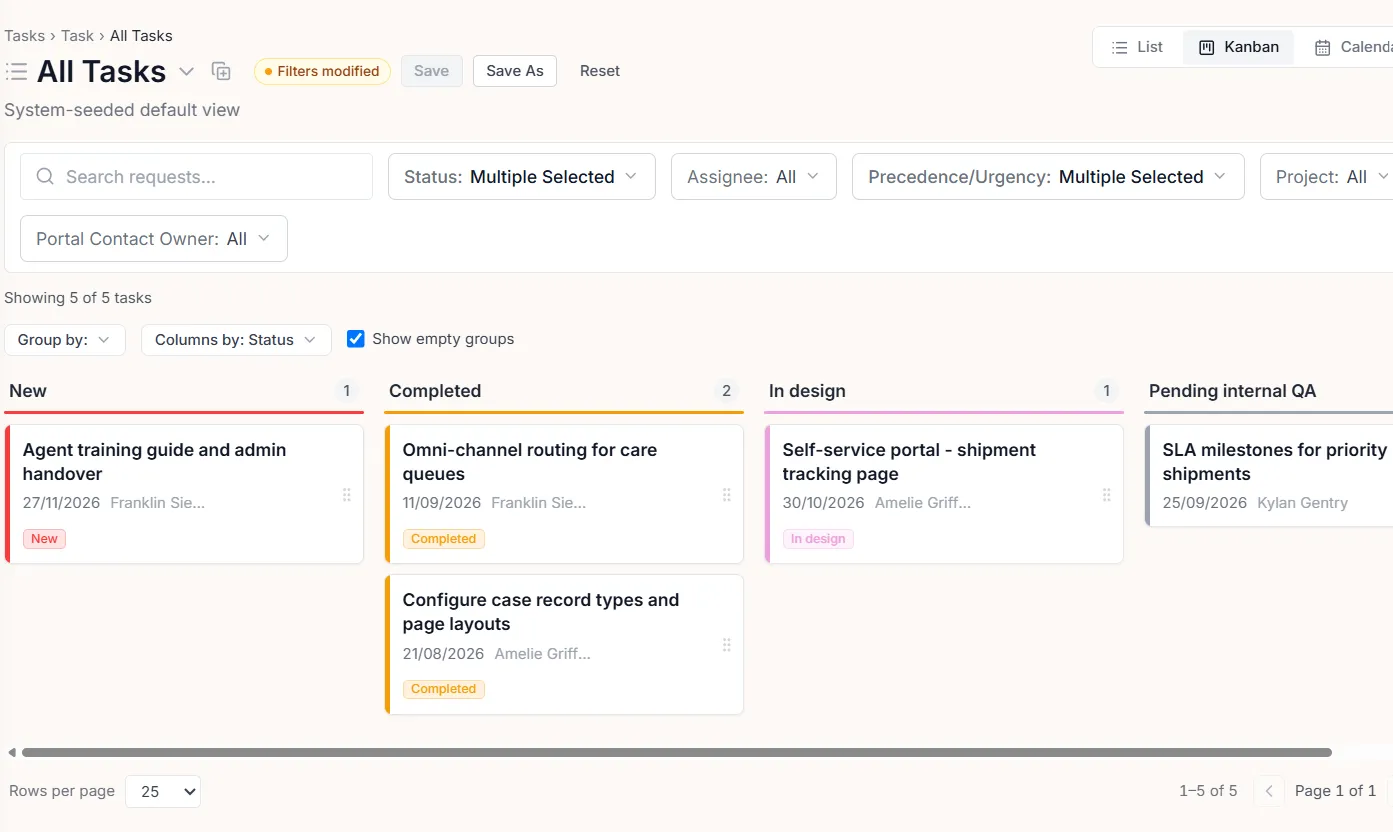
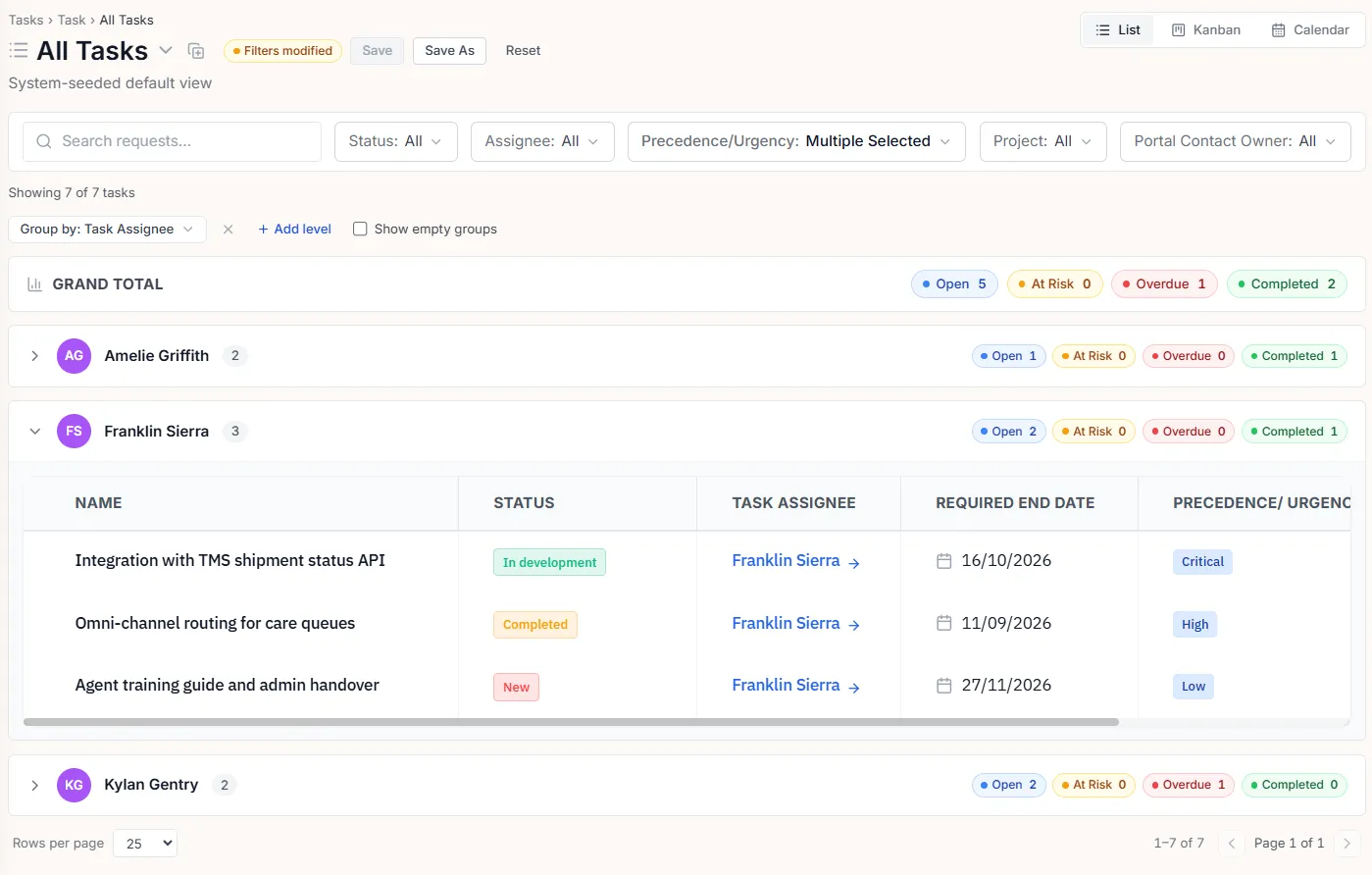
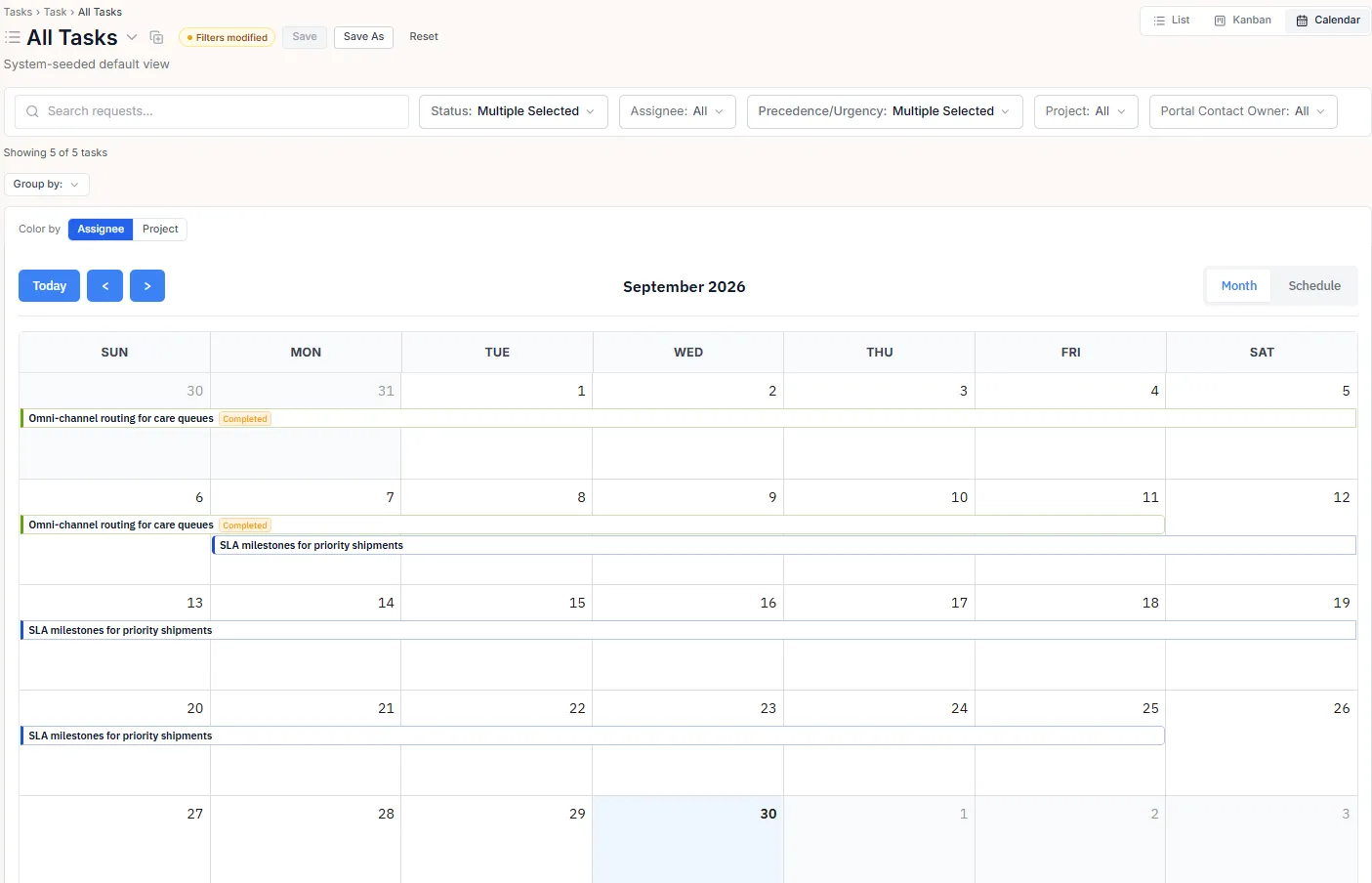
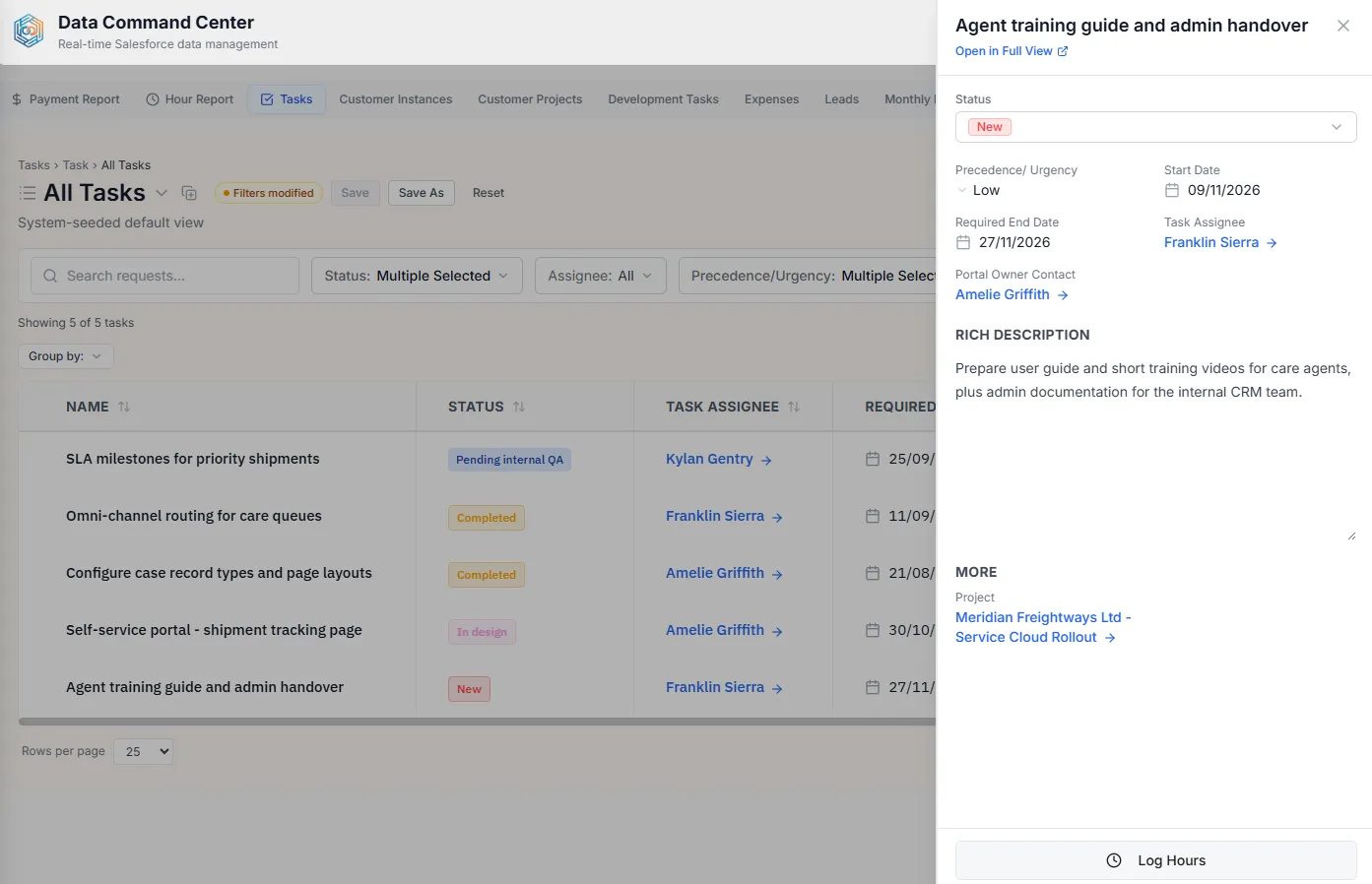
Drag work across stages and it stays in sync — boards update in real time for everyone looking at them, because they read the same live records.
- Kanban, list, and calendar views of the same live records
- Configured per object — stages map to your fields
- Role-aware — users move only what they may
02 · Hour Reporting
Hours and expenses, locked when the month closes.
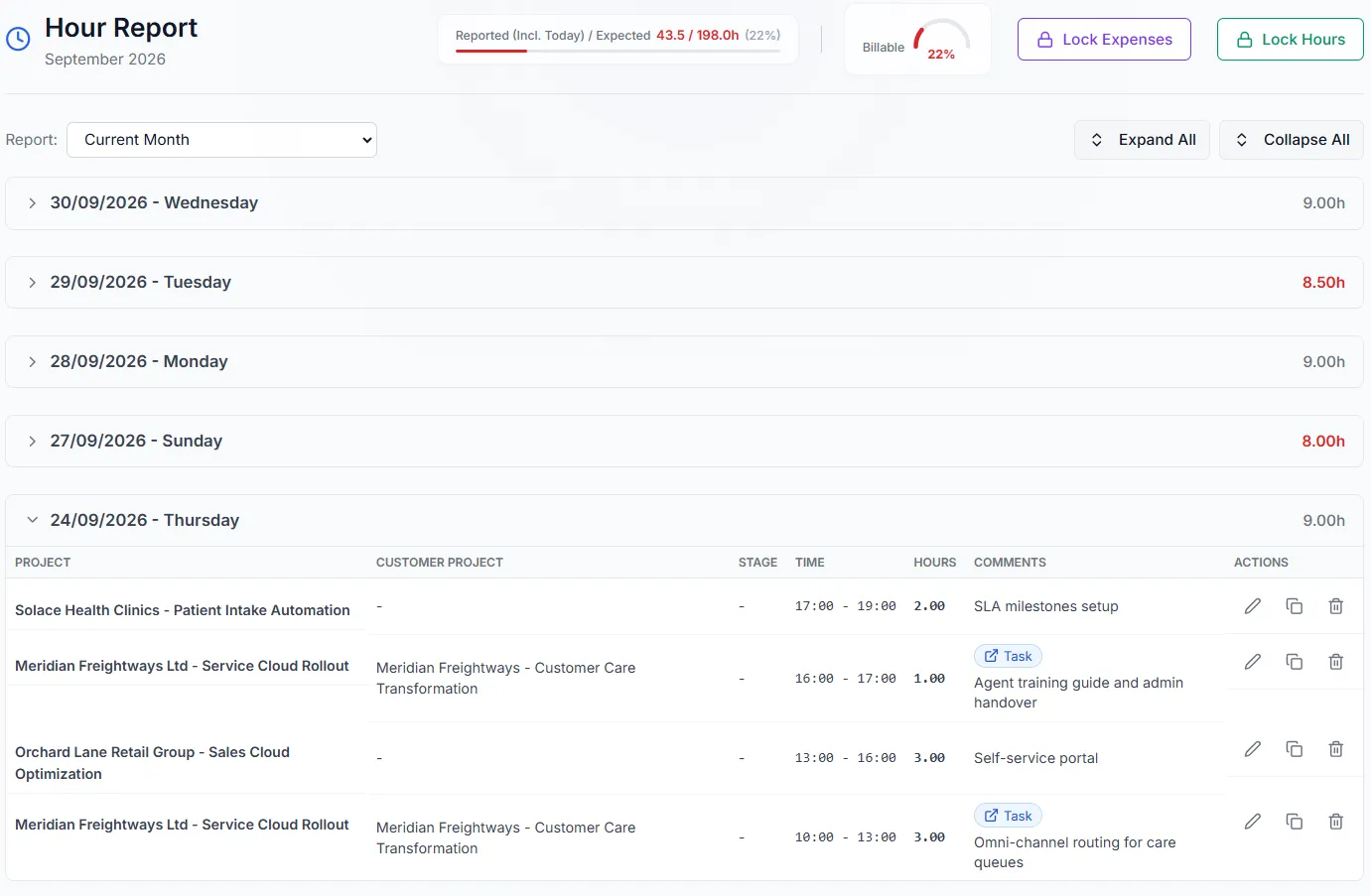
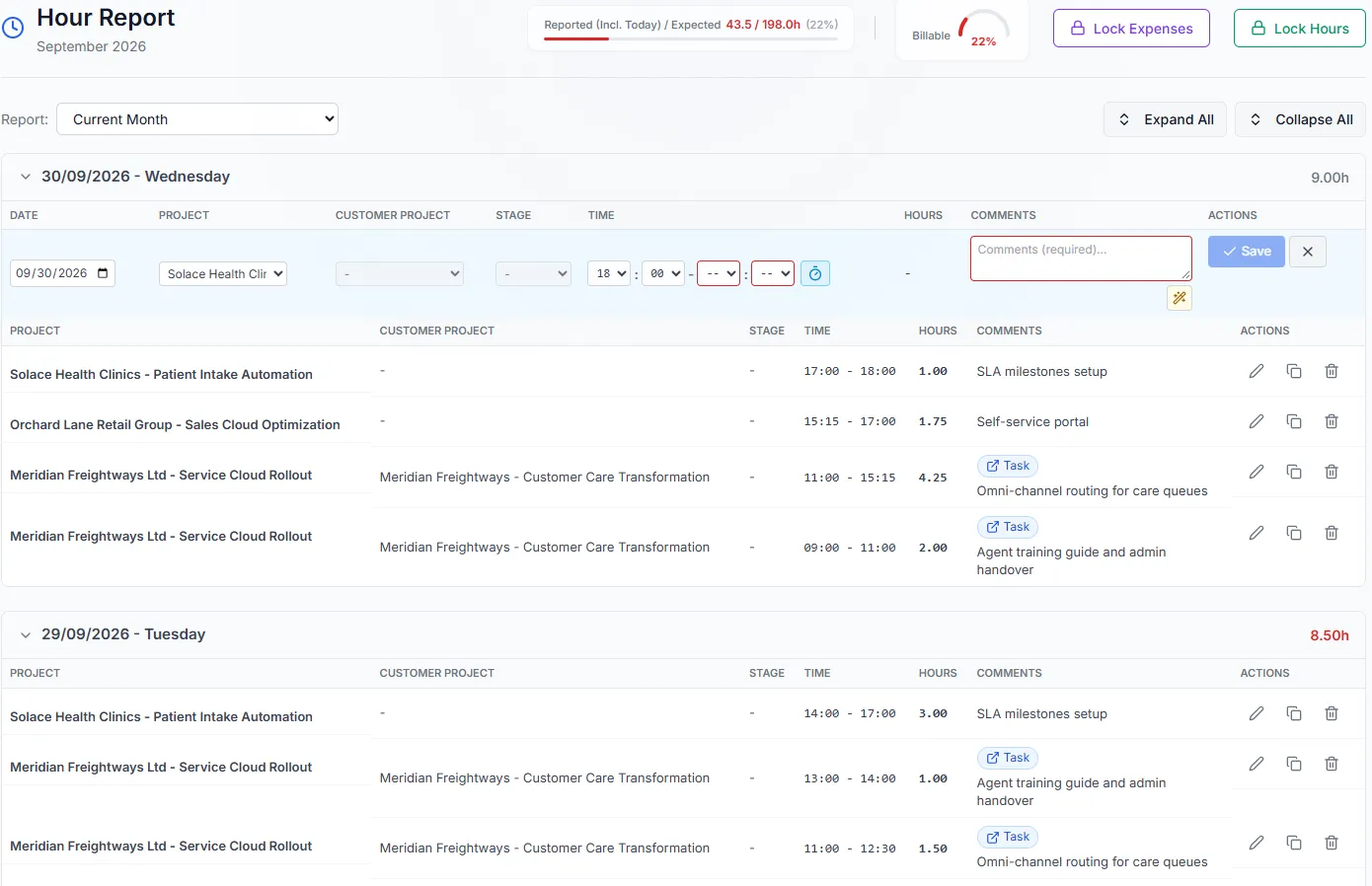
People log the hours and expenses they spend on each project or task, right inside the portal. You get a live view by person, project, and period — and when the month closes, you lock it, so billed numbers can't drift.
- Hours and expenses logged straight against live records
- Live breakdown by person, project, and period
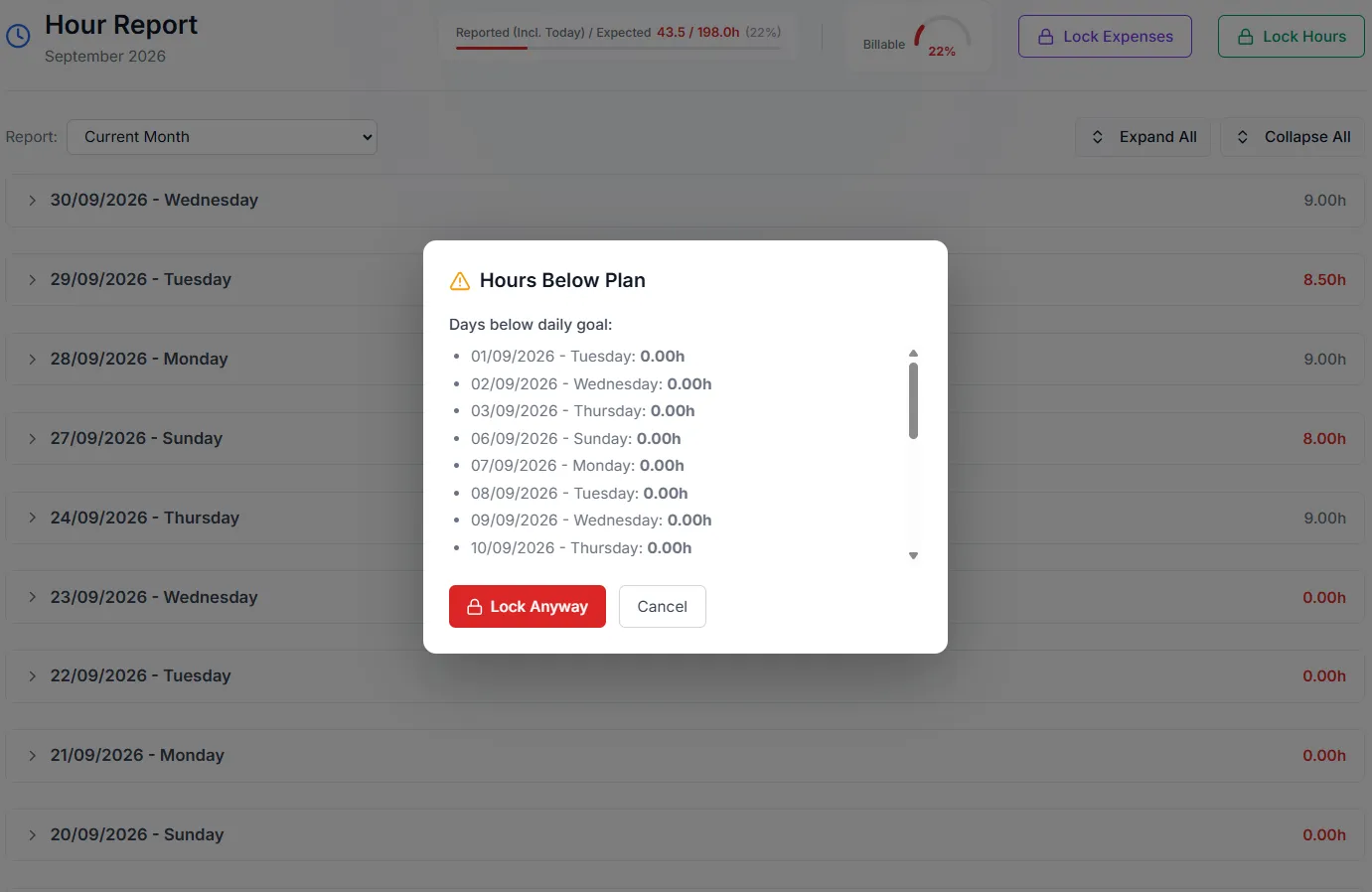
- Monthly lock for hours and expenses — with a warning for days below plan
03 · Payment Report
Approve hours before you bill.
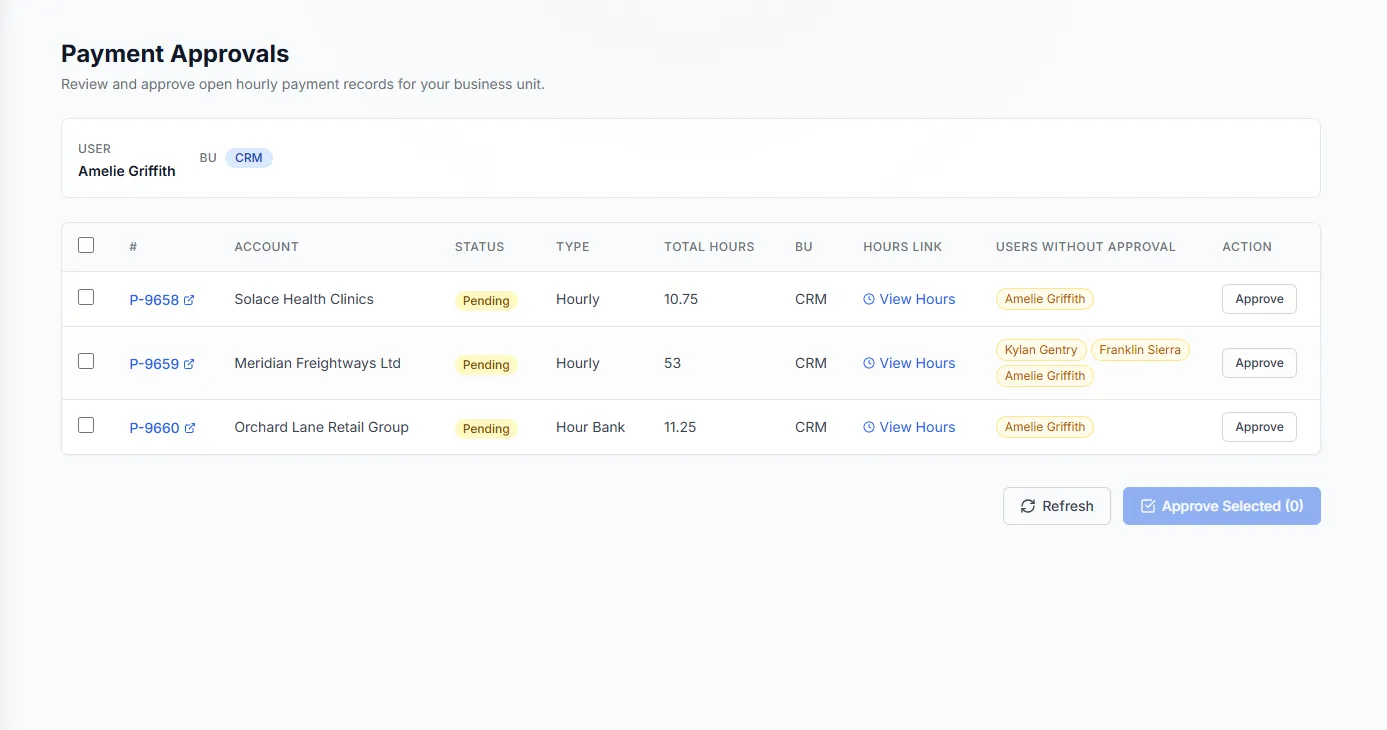
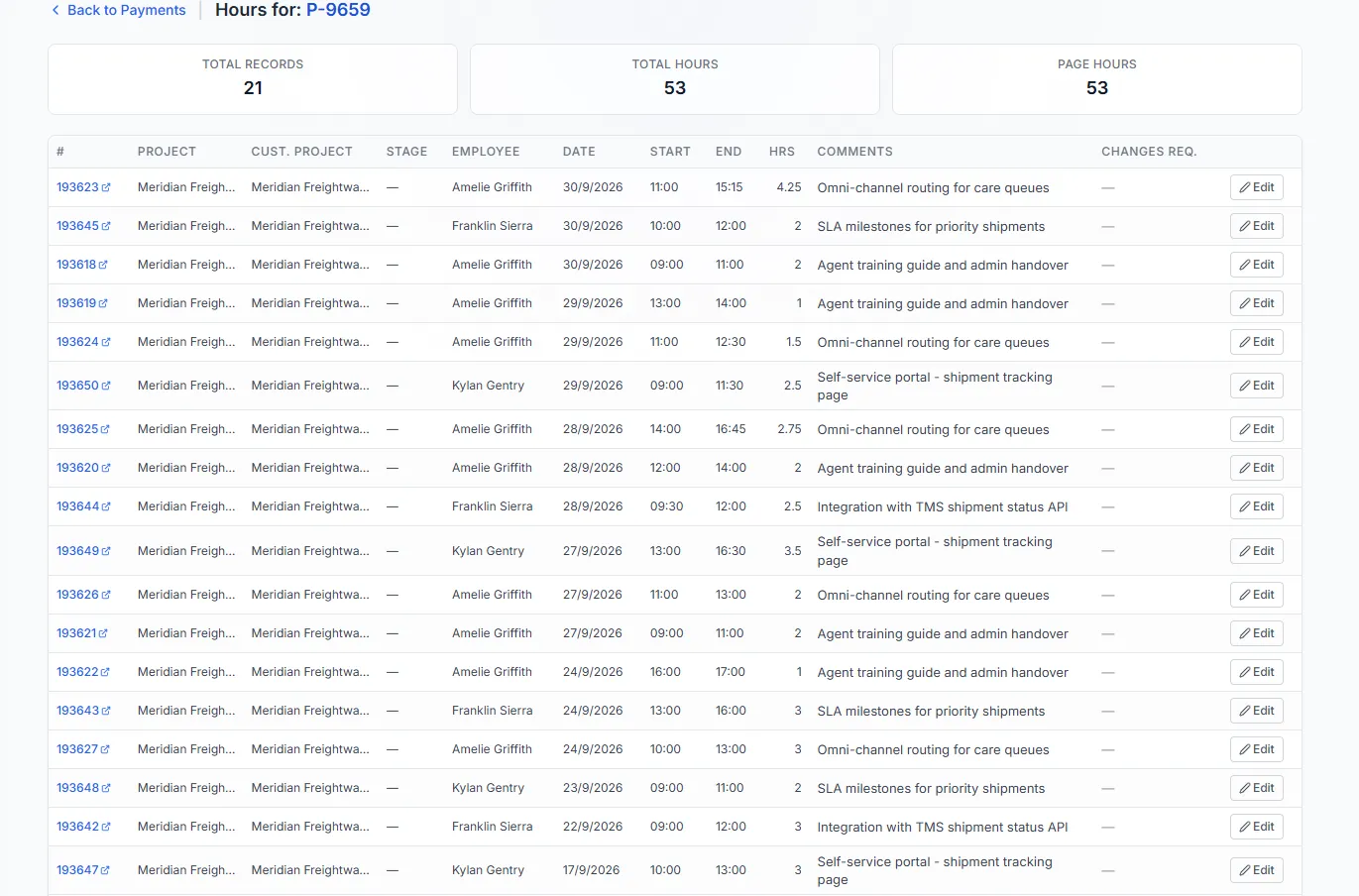
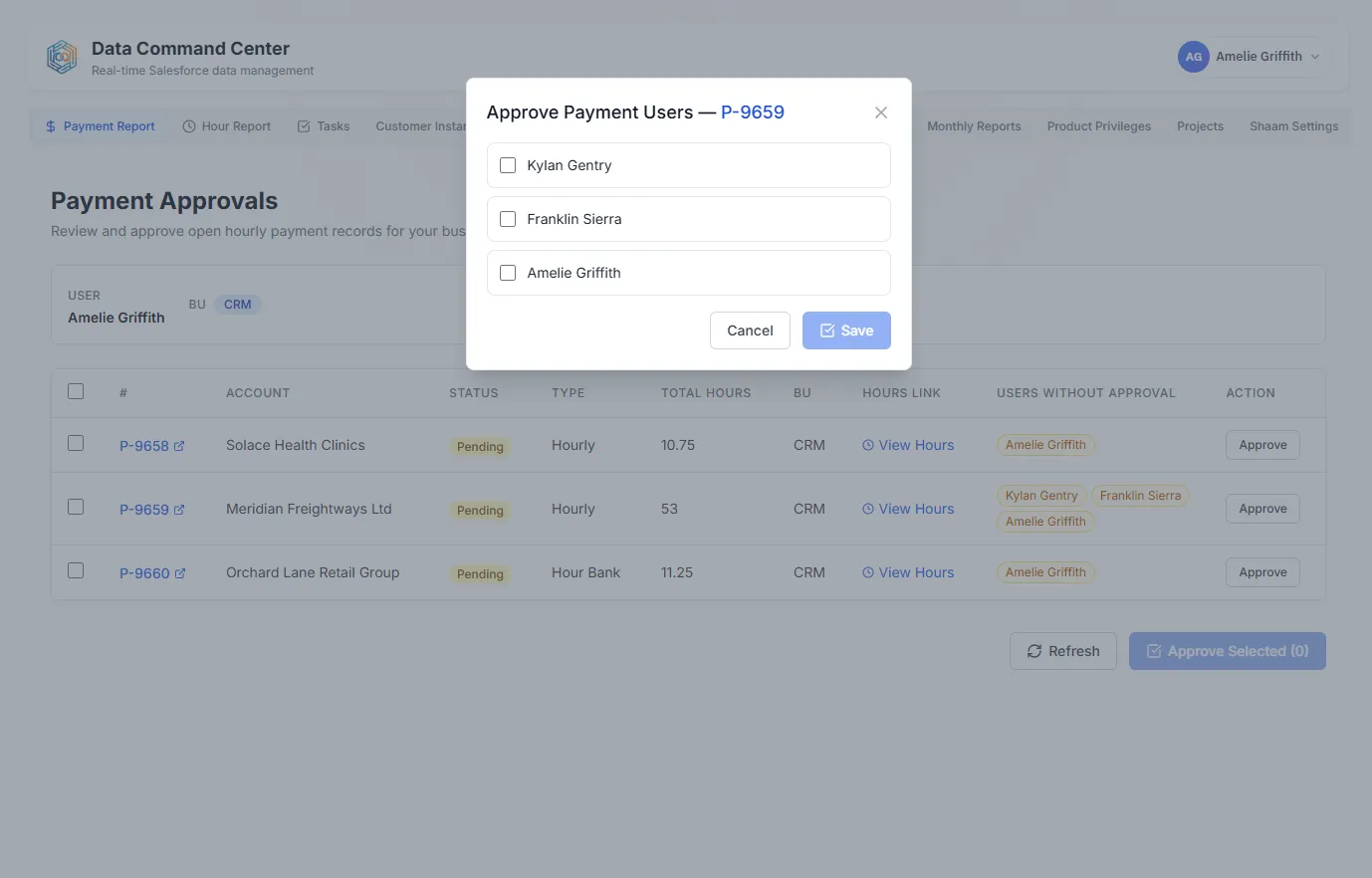
Every payment record shows the hours behind it. Review open payments by account, drill into each entry, and collect sign-off from the people involved — so invoices go out on numbers everyone has approved.
- Open payments by account, with the hours behind each one
- Per-user approval before anything is billed
04 · Custom modules
Model any workflow.
Custom modules and components are built on the data you've already connected, so new workflows arrive without a new system.
Tell us what you need →-
Approvals
Route a record for sign-off and keep the decision on the record itself.
-
Intake queues
Let customers or partners submit requests that land straight in your system.
-
Field checklists
Give teams in the field a step-by-step list that updates the record as they go.